Know Your Commute
Before You Grab Your Keys.
Live traffic flow around your area on a circular desk display — congestion, incidents, and drive times, at a glance. No app to open, no route to type. The roads you actually use, always current.
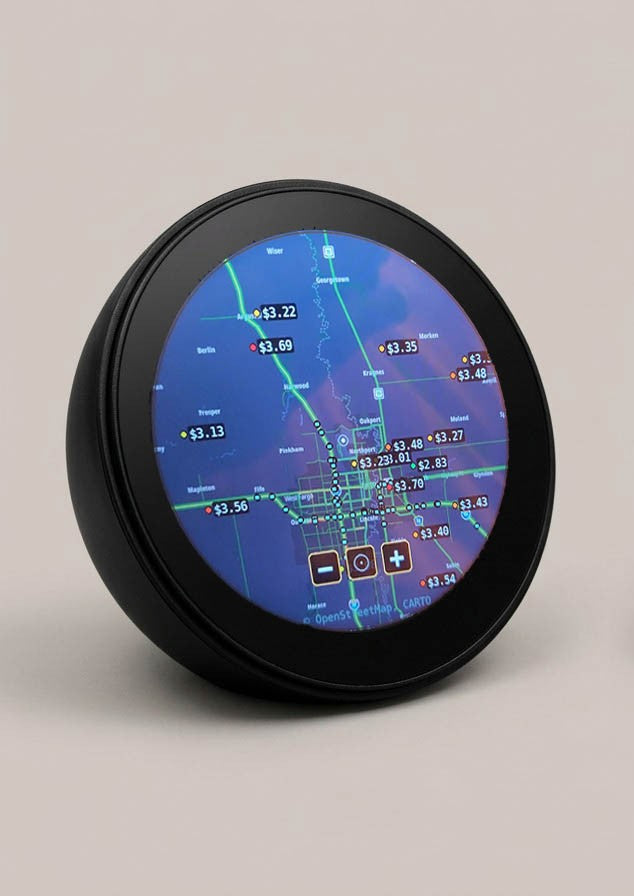
Your Roads.
Live on the Dial.
Live Congestion Coloring
Every road on the map is colored by real flow speed — green for moving, orange for slowing, red for jammed. One glance at the dial and you know exactly where traffic is building around you.
Accident & Closure Markers
Crashes, road works, and closures appear as clear incident markers directly on the affected road. You see the problem and the road it's blocking — before you're sitting behind it.
Drive Times to Saved Destinations
Save the places you drive to most — work, school, the gym — and SkyWatch shows a live estimated drive time for each, recalculated as conditions change. The number you actually need, always on screen.
Rush-Hour Pattern Awareness
Traffic mode learns the rhythm of your area's rush hours, so an unusually early jam stands out immediately. When Tuesday looks worse than normal at 7:40am, you'll see it — and leave accordingly.
Road Network Around Your Home
The circular map is centered on your address, showing the real road network around it — motorways, arterials, and the local streets that make up your actual routes. Your area, not a generic city view.
Auto-Refreshing Every Minute
The map refreshes itself roughly every 60 seconds — no tapping, no pulling to refresh. What's on the dial is what's on the road right now, all morning long, without you touching a thing.
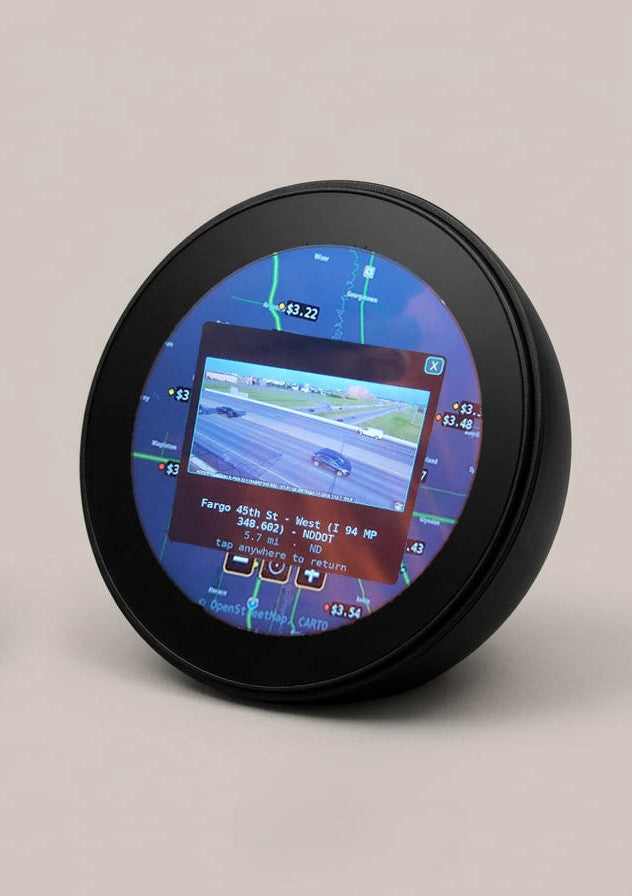
Your Commute,
Ambient.
Set home and work once during setup. From then on, the display quietly tracks conditions between them — so "should I leave 10 minutes earlier?" becomes a glance-decision, not an app session.
Built for
People Who Drive Daily.
The Hybrid Worker
Office days mean a commute you only do two or three times a week — which makes traffic harder to predict, not easier. A glance at the dial over breakfast tells you whether today is a 20-minute run or a 45-minute crawl.
The School-Run Parent
The school run has zero slack — a blocked road means late kids and a chain reaction through your whole morning. See the incident marker before you load the car, and take the other route from the start.
The Rideshare Driver
Where traffic builds, demand follows. Watch congestion form across your area before you start your shift, and position yourself on the right side of it instead of driving through it.
You’re Not Just Buying
a Traffic Display.
Every mode included. One price. No subscription.
Order with
Confidence.
Full Refund Before It Ships
Your order is completely risk-free. If anything changes — your plans, your mind, anything — just let us know and we'll refund you in full. No questions asked, no hoops to jump through.
Cancel any time before shipping. Your money isn't going anywhere until we're ready to ship and you're happy to receive it.
"My commute crosses one bridge, and when that bridge jams my morning is gone. I backed SkyWatch specifically for Traffic mode — a display in the kitchen that shows the bridge before I’ve even put shoes on. My partner uses it for the school run. It’s already the most-argued-over gadget in the house."
SkyWatch — $299
Includes Traffic mode + all 16+ other modes. No subscription, ever.
Full refund before it ships · Cancel any time · No questions asked