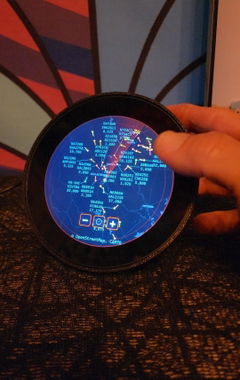
The World's First Always-On Desk Radar Display
Nothing Else On Your Desk
Does This.
The always-on desk display. No phone, no subscription, no off switch.
- Aircraft Radar
- Ship Tracking
- Satellite Passes
- 16+ Live Modes
$299
$350
While Supplies Last
Limited time offer
All modes included free
One Device. Every View.
Live Data.
At a Glance.
SkyWatch replaces the dozen tabs you keep open. Plug it in, connect to Wi-Fi, pick a mode — and the world starts moving on your desk.
- Tracks real planes overhead using live ADS-B data
- Shows every vessel in your waters via AIS
- Displays the ISS, Starlink, and active satellites on a sky-dome scope
- Live scores, fixtures, and league tables across every major sport
- Stock prices, crypto, forex — always current
- All modes included. No extras to buy. Ever.
16+
Live data modes
$0
Subscription fee
<1 min
Setup time
110+
Happy customers

Powered By Real-Time Data From
ADS-B Exchange
Aircraft Transponder Data
AIS Marine Traffic
Live Vessel Positions
Space-Track.org
NORAD Orbital Data
Live Finance Feeds
Stocks · Crypto · Forex
Open-Meteo
Live Weather & CME Alerts
Sports APIs
Live Scores & Fixtures
What's Inside
16+ Live Views.
All Included.
Every mode runs on the device in real time. Switch any time — no app, no subscription, no extra cost.
Aircraft
Ships
Satellites
Stocks
Crypto
Weather
News
Trains
Aircraft
Ships
Satellites
Stocks
Crypto
Weather
News
Trains
NFL Football
NBA Basketball
NHL Hockey
MLB Baseball
Soccer
Golf
Racing
Live Scores
NFL Football
NBA Basketball
NHL Hockey
MLB Baseball
Soccer
Golf
Racing
Live Scores
Stars
Constellations
CME Alerts
Flight Log
Clock
Timer
Traffic
Forex
Stars
Constellations
CME Alerts
Flight Log
Clock
Timer
Traffic
Forex
What It Shows
Pick Your View
Every mode runs live on the device. Switch between them any time — no app, no account.


Air
SkyWatch Aircraft
Track every plane in the sky above you, live and in real time.
- ADS-B data for all commercial and private aircraft
- Radar scope view or real map — switch between them any time
- Tail numbers, altitude, speed and heading at a glance
- Tap any aircraft for full flight info and history
Never wonder what's overhead again.
Explore Aircraft →
Sea
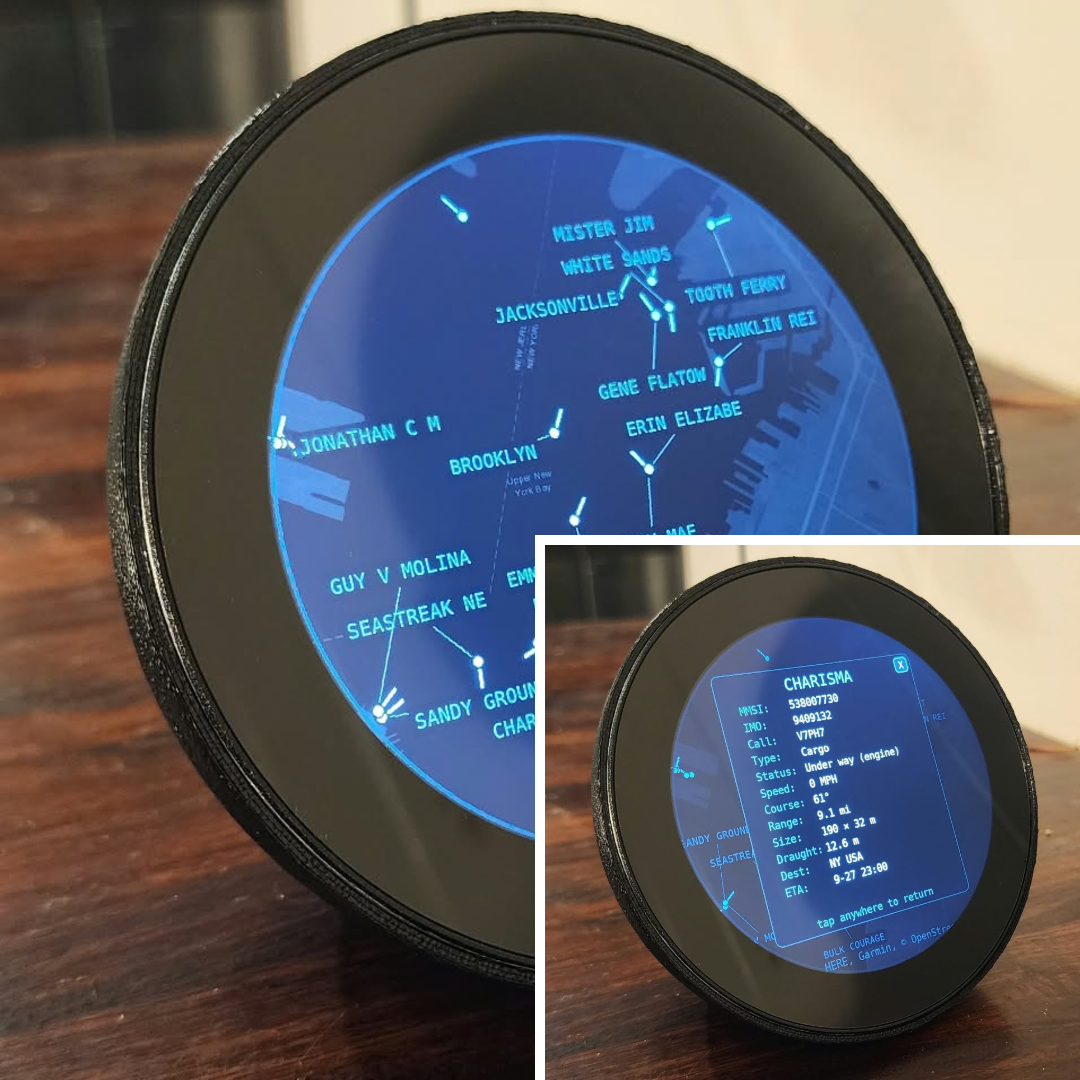
SkyWatch Ships
Every vessel in your waters, broadcasting live via AIS.
- Live data for cargo ships, tankers, ferries, yachts and more
- Vessel name, type, speed, course and destination
- Radar scope or nautical map view — your choice
- ETA, port info and voyage history on tap
From harbour traffic to open-sea crossings.
Explore Ships →
Orbit
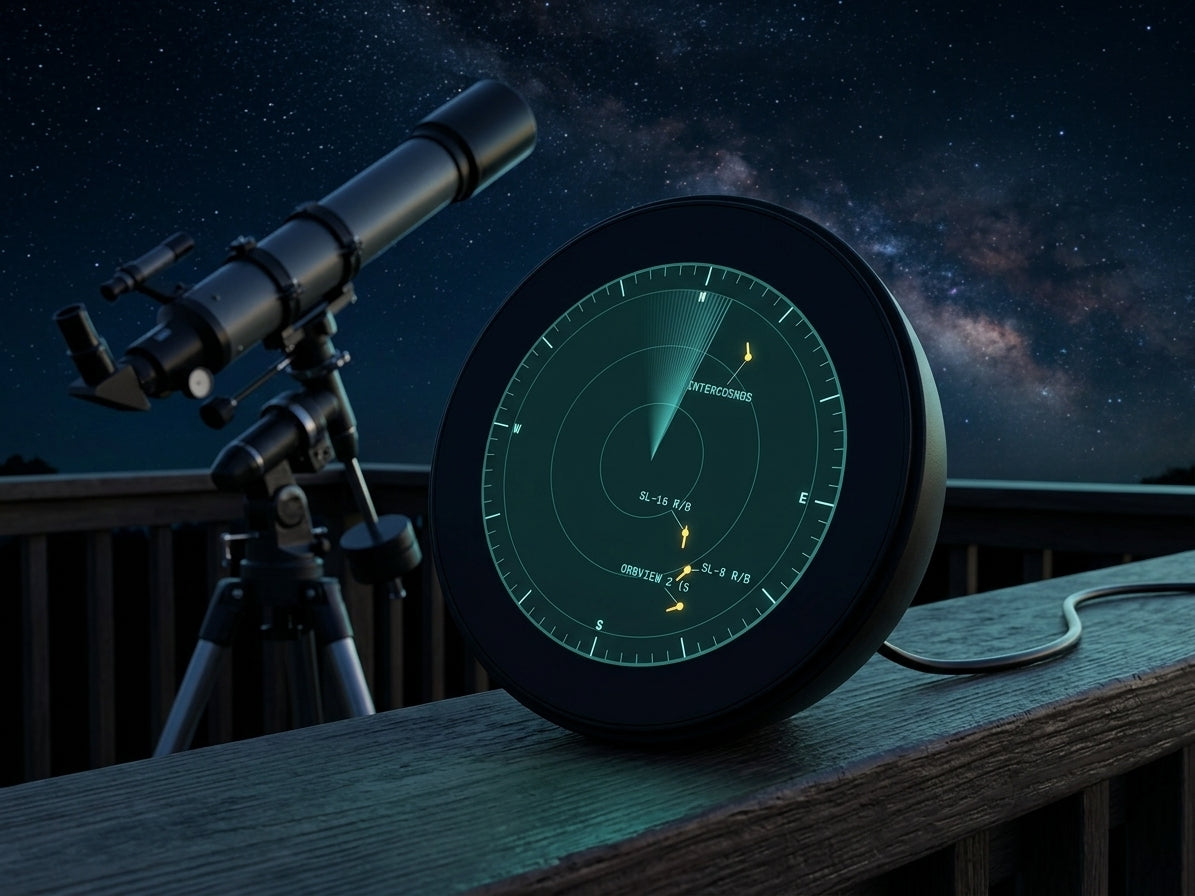
SkyWatch Satellites
The sky above you is a lot busier than you think.
- Real-time orbital positions for ISS, Starlink and thousands more
- Sky-dome scope shows exactly what's passing overhead right now
- Launch date, orbital period and classification for every object
- Next visible pass times with alerts for bright passes
Look up — you'll never see the night sky the same way.
Explore Space →
Field
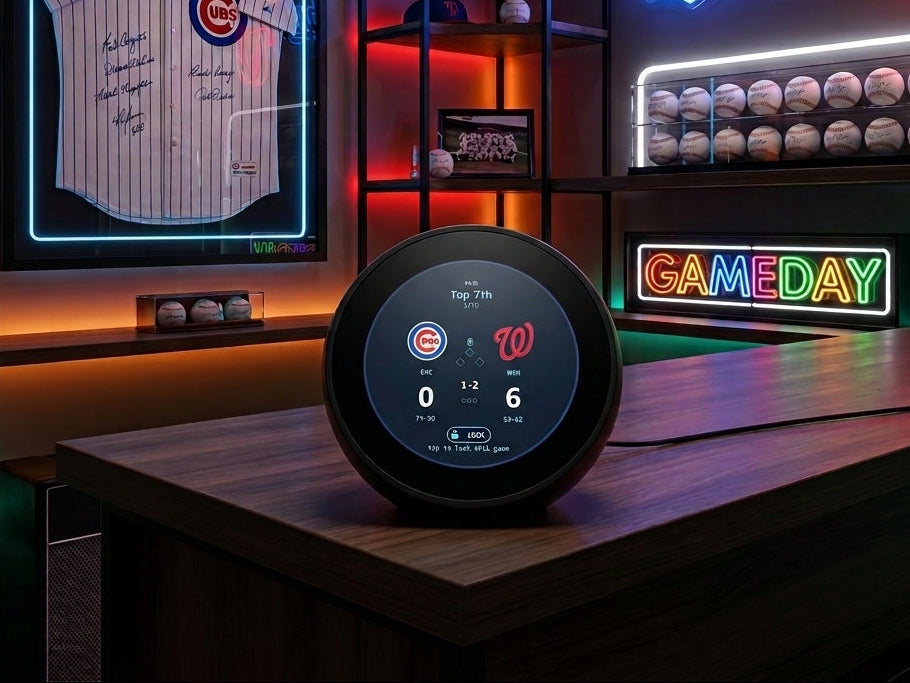
SkyWatch Sports
Stay in the game without watching the game.
- Live scores across NFL, NBA, NHL, MLB, soccer, golf, racing and more
- Game clock, quarter or period, and current score at a glance
- Follows the leagues and teams you actually care about
- Updates automatically — no refreshing, no fuss
Game day, always in your peripheral.
Explore Sports →
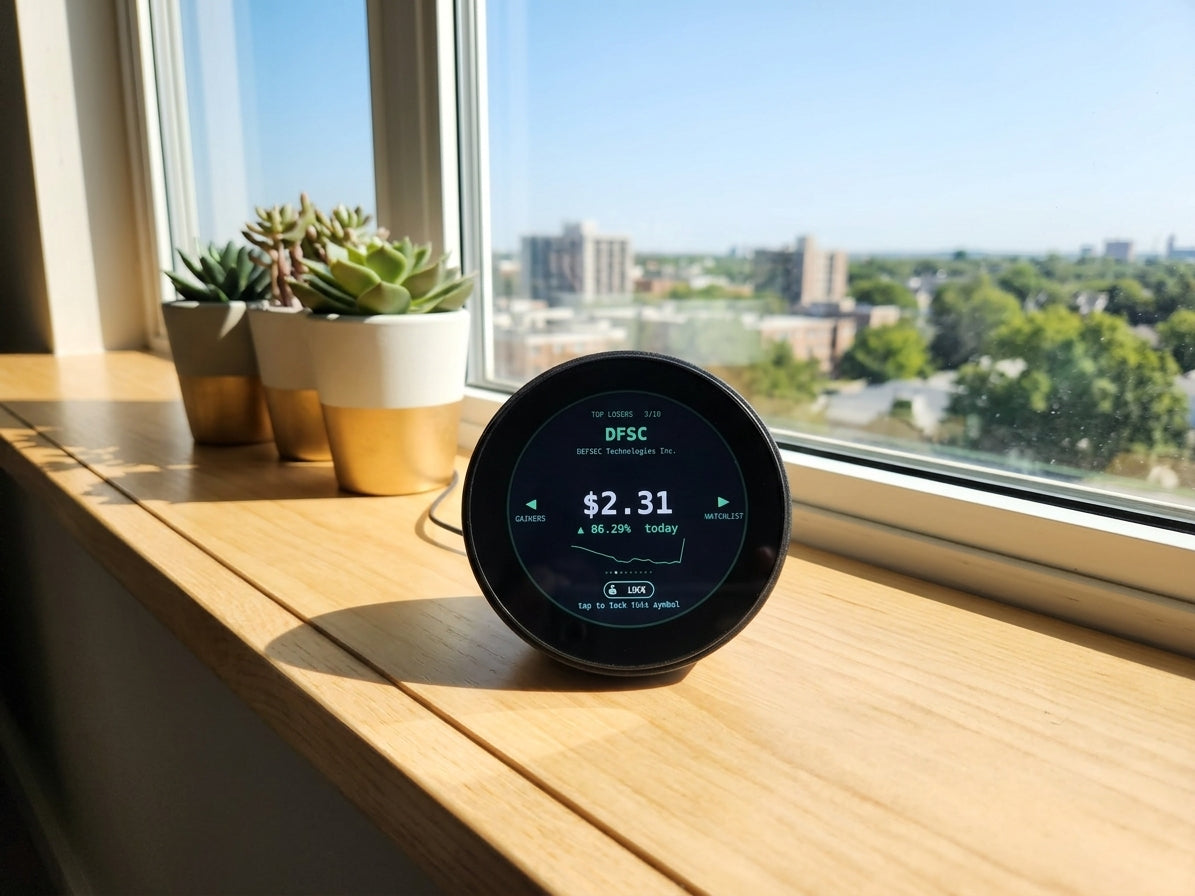
Markets
SkyWatch Finance
Markets and crypto, always in the corner of your eye.
- Real-time prices for stocks, ETFs, indices and forex
- Bitcoin, Ethereum and thousands of crypto assets
- Customise which tickers and coins you track
- Price changes highlighted — green up, red down, always clear
Never miss a move that matters.
Explore Finance →
+ Also Includes
16+ Live Modes
Every mode below is already included in your order — nothing extra to buy, ever.
- ADS-B data for all commercial and private aircraft
- Radar scope view or real map — switch between them any time
- Tail numbers, altitude, speed and heading at a glance
- Tap any aircraft for full flight info and history
Weather Trains Stars Constellations CME Alerts News Flight Log Golf Racing Soccer NHL Hockey NFL Football NBA Basketball MLB Baseball Clock Timer
More modes added at launch — included automatically.
Out of StockOrder Now. Save More Than You Think.
$50 Off Sale Price
Order at $299 and lock it in. When the sale ends soon, the price goes back to $350.
All Modes Included Free
Planes, ships, satellites, weather, stocks, sports and more — free forever. At launch, add-ons go paid for everyone else.
Full Refund Guarantee
Cancel any time before SkyWatch ships. No questions asked, no hoops to jump through. You are not locked in.
Not ready to commit?
Get Notified
Drop your email and we'll alert you the moment SkyWatch pushes updates and new features.
Quick Start
Set Up in Under a Minute
Power on, scan, and pick your view — no app to install, no account to create.
1

Connect
Plug SkyWatch into power and scan the QR code shown on the display.
2

Get Wi-Fi
Choose your home network from the list on your phone. SkyWatch connects in seconds.
3

Pick a Mode
Choose from 16+ live data modes. Switch any time. The display updates instantly.

Order Now
SkyWatch Live Desk Display
A circular desk display that shows you the world — live.
$299
$350
Save $50
One-time payment · No subscription · All modes included
- Every current mode included (16+ at launch)
- All future modes & add-ons, free
- Cancel anytime before fulfilment
Your order is fully protected. Cancel any time before fulfilment for a complete refund.
SSL Secured
VISA
MASTERCARD
AMEX
PAYPAL
SHOP PAY
Your Order is Fully Protected
We stand behind every order completely. Cancel any time before fulfilment for a full refund — no questions asked. If SkyWatch doesn't ship, you pay nothing. This is a commitment we make to every customer, not fine print.
Cancel Anytime
Full Refund if Unshipped
No Hidden Fees
Secure Checkout
FCC Certified
FCC Part 15 Compliant
CE Marked
EU Safety & EMC
Customer Reviews
What Our Customers Say
220+ people have already purchased a SkyWatch device. Here's why they ordered.
★★★★★
"I've had FlightRadar24 running as a browser tab for years — the moment I saw SkyWatch I knew I needed it as a dedicated display. No subscription and everything included sealed it instantly."
★★★★★
"I live near a busy harbour and pre-ordered specifically for Ships mode. Having live AIS traffic on a desk display instead of a phone tab is exactly what I've been looking for. Can't wait for October."
★★★★★
"Satellite mode is what got me — watching the ISS and Starlink on a circular scope display that lives on my desk permanently. The kind of hardware I didn't know I needed."

Why We Built This
Jason, Matt & Jim
Two Brothers & a Childhood Friend — Cincinnati, OH
Matt is a private pilot and former air traffic controller. He'd been watching live aircraft on FlightRadar24 as a browser tab for years — always fascinating, never where it belonged. He wanted it on a dedicated display on his desk. Permanent. Physical. Always on.
He called his brother Jason, a software architect with 20 years building real-time systems. They called their childhood friend Jim, an HVAC engineer who understood how things are actually built. Together they made the device none of them could find anywhere else.
One-time price. No subscriptions. No cloud lock-in. Every mode included — because that's what they'd want if they were the customer.
Jason, Matt & Jim
Co-Founders, SkyWatch
SkyWatch is a circular desk display — about the size of a paperback book — that pulls live global data and displays it on screen, always on. It connects to your Wi-Fi and you pick a mode from the app. After that, it runs independently on your desk 24/7 with no phone required.
No. You pay $299 once and that's it. Every mode — Planes, Ships, Space, Sports, Finance, and everything added at launch — is included at no extra cost. There are no monthly fees, ever.
SkyWatch is expected to ship October 2026. You can cancel your pre-order any time before fulfilment for a full refund — no questions asked. If SkyWatch doesn't ship for any reason, you are refunded automatically.
Under a minute for most people. Plug it in, hold your phone over the QR code shown on the display, choose your Wi-Fi network, and pick a mode. That's it. No account required, no app to install beyond the initial setup screen.
At launch: Planes, Ships, Satellites, Trains, Stars, Constellations, CME alerts, Weather, Flight Log, News, Finance, Crypto, Football, Basketball, Hockey, Baseball, Golf, Racing, Soccer, Traffic, Clock, Timer — and more being added. Every mode included in your $299.
SkyWatch has a circular, high-resolution screen designed to sit on a desk, shelf, or workbench. It renders data in a distinctive radar-scope aesthetic — readable from across a room and easy to glance at without breaking your focus.