PLAY WITHOUT
WI-FI.
11 built-in games across 4 categories — Arcade, Radar, Sports, and Brain — all touch-based, all offline-only. The circular display was made for this.
More fun than a screensaver. More satisfying than picking up your phone.
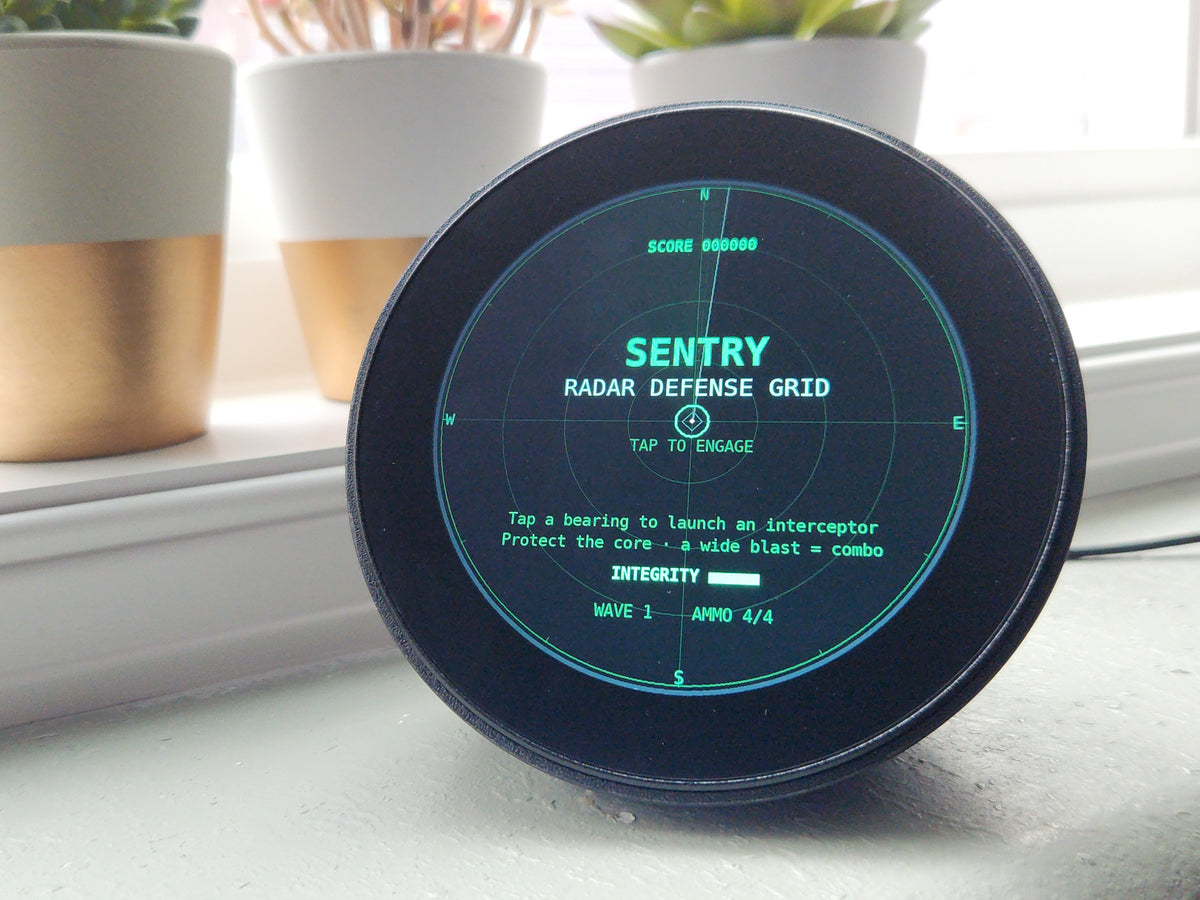
4 Categories. 11 Games. All Offline.
Every game is built into the firmware. No downloads, no accounts, no app store. Press the button, pick a category, and play — on the same circular screen that just showed you live flight data.
Every Game. Built for the Circle.
Each game was designed specifically for a round, touch-based display — not ported from a rectangle. The circular canvas isn't a limitation. It's the point.
Rotate a shield around the circular screen edge to deflect incoming threats. Full-360 gameplay designed for the round display — threats approach from every angle, and your only tool is rotation.
Navigate a drifting ship through asteroid fields — tilt paths to steer, all rendered on the circular radar canvas. The debris fills the scope like a live tracking feed. Don't let it overwhelm you.
Time your shot arc on a curved court — tap the display as the power meter fills. Pure reflex, no stats required. The arc follows the circular rim, making every shot feel like a buzzer-beater.
A pitching meter sweeps the circular display — tap at the sweet spot to launch. Rounds build in speed with each consecutive hit. The sweet spot shrinks as the crowd gets louder.
A wind gauge sweeps the circle; hit the timing window to kick through the uprights. Three kicks per round. The circular display shows the kick path in real time — satisfaction guaranteed if you nail it.
Classic top-down shooter re-imagined for a circular display. Targets drop from all directions simultaneously — tap to fire, rotate to aim. Survive as many waves as you can.
Race to deploy life rafts before the ship sinks. Tap rescue pods as they appear around the circular edge — the display fills with rising water as the clock counts down. Every pod counts.
Wrap-around asteroid shooter on the full 360° canvas. Rotate your ship and blast before the rocks overwhelm you. The circular display means there's nowhere to hide — but also nowhere the enemies can hide either.
A rotating marker sweeps the circle — hit the target zone at exactly the right moment. Each successful round shrinks the window and speeds up the sweep. Deceptively simple. Ruthlessly addictive.
Answer 20 yes/no questions; the display tallies your answers around the rim and reveals what it's guessing. The circular layout tracks progress visually — watch your answers fill the scope as the AI closes in.
Words and numbers drop from the top of the circle; answer before they fall off the bottom edge. The circular display turns this into a gravity challenge — tap fast, think faster, or watch them disappear.
No Phone. No Console.
Just the Display.
SkyWatch sits on your desk running live data all day. When you want a break, the games are one button press away. No download, no login, no Wi-Fi handshake. The games launch from the same mode menu as Planes or Finance — instant, on-device, always available.
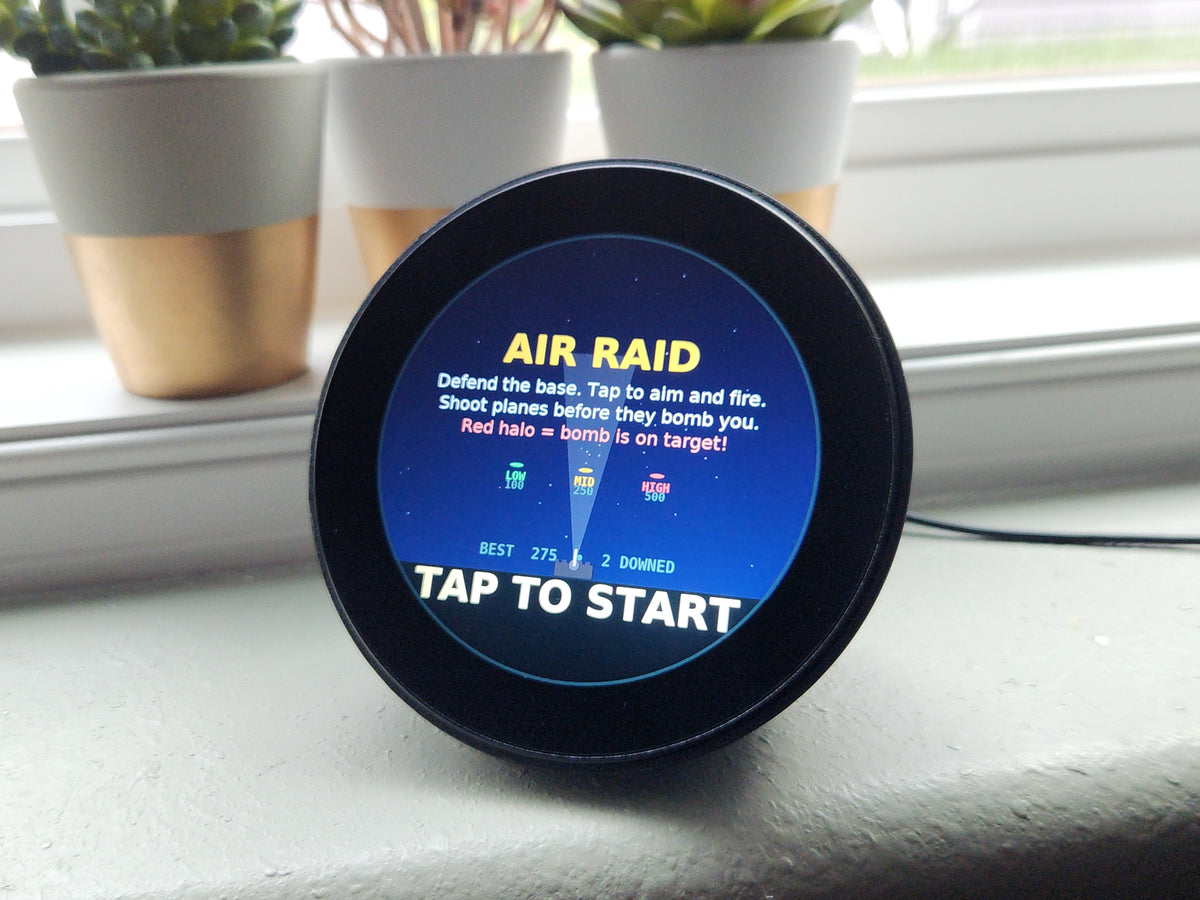
Switch Back in 2 Seconds.
You can go from watching your flight path to playing Sentry and back again in under two seconds. The mode switch is instant — no reboot, no loading, no waiting. Games don't replace your live data. They're a separate mode you choose when you want a break, and the moment you're done, your Planes feed (or Ships, Finance, Sports, Space) picks right back up where it left off.
Games Mode FAQ
No. All 11 games run entirely on-device — no internet connection is needed to launch or play any of them. They work offline, on a plane, during a power cut, anywhere. Only the live data modes (Planes, Ships, Finance, etc.) require Wi-Fi.
Yes, instantly. Press the mode button on the display to cycle through all available modes — Planes, Ships, Space, Sports, Finance, and Games. Switching takes under two seconds in either direction. Your live data resumes exactly where it left off when you return.
The 11 games are built into the firmware and don't require updates to run. Future firmware updates may add new games — any such updates will be free for all SkyWatch owners. You'll be notified via the companion app when a firmware update is available.
Yes. SkyWatch uses a fast capacitive touch panel tuned for low-latency tap input — the same panel used for navigating live data modes. All 11 games were designed and tested with this panel in mind, so every tap, swipe, and timing-based mechanic is calibrated for the display's response characteristics.